Exams and quiz competitions, under your name.

Run secure online exams and live quiz competitions for your school, foundation, association or company. Priced in naira. Try everything free for 30 days.

Illustration of people preparing for and taking an online exam around a large laptop

First up:the Academic Excellence Initiative runs its June 2027 Scholars Day prelims and hall final on NexusExam.

Two products, one platform

Use either on its own, or screen everyone online and bring the best to a live final.

Online exams

Secure computer-based tests in your name and colours, sat on a phone or laptop from anywhere.

  • Access codes instead of passwords
  • Answers save on patchy networks
  • Tab-switch log and optional webcam snapshots
  • Rank, mark, export and release results
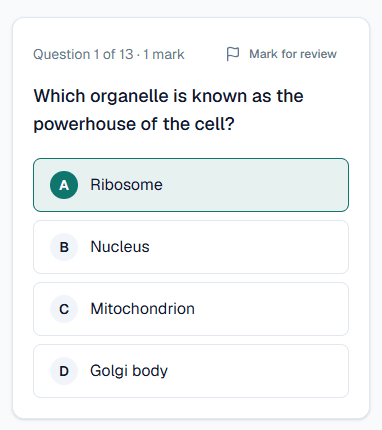
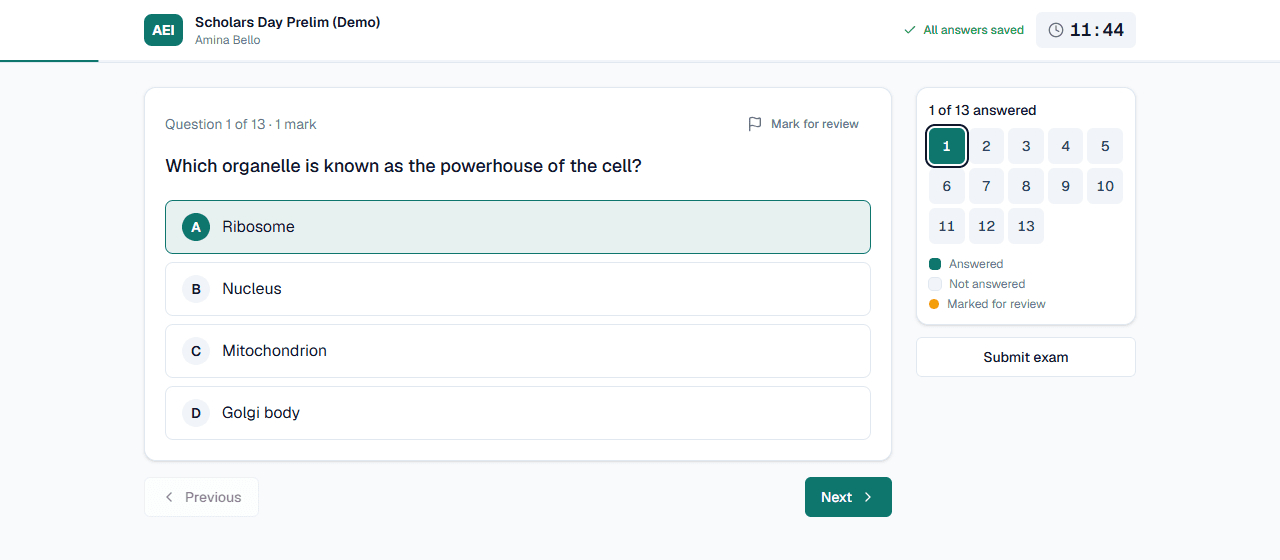
The exam screen with the save status, timer and question navigator

Live quiz finals

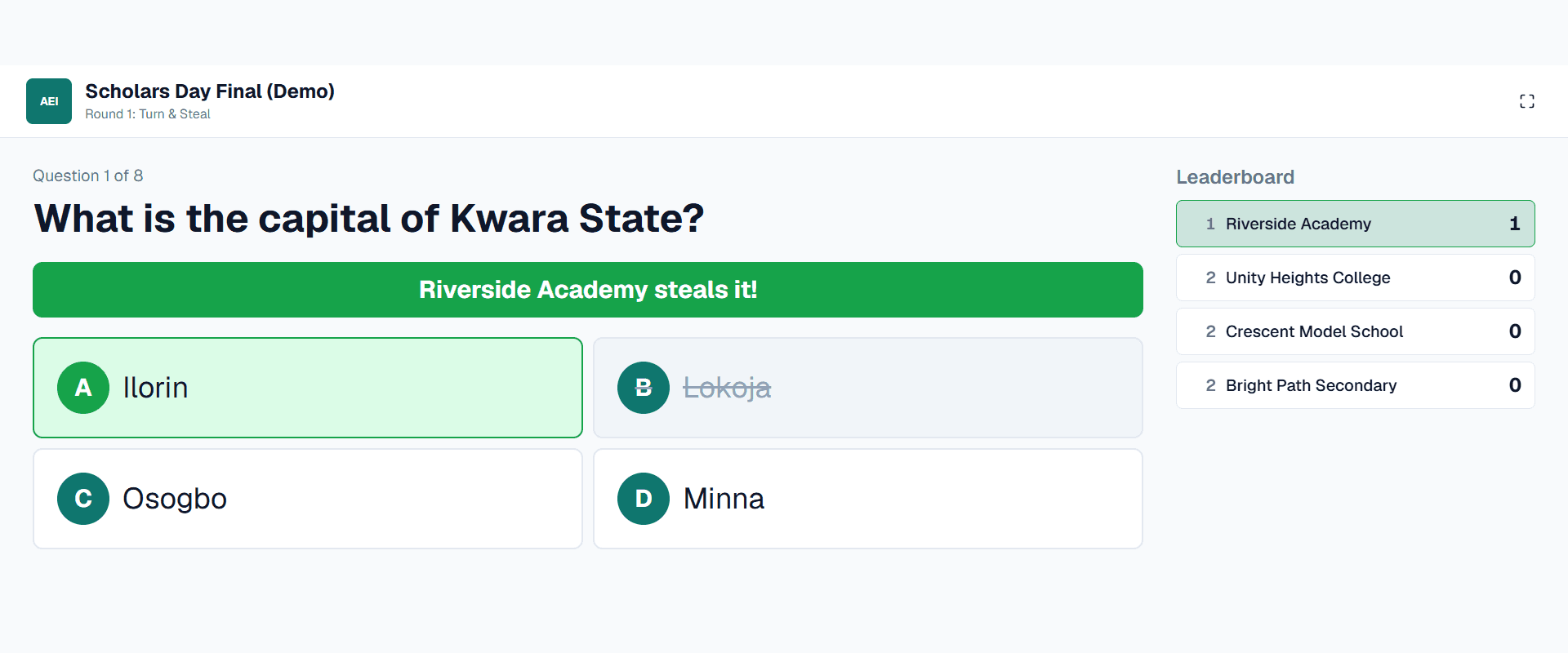
The final in the hall, on the big screen, with every team answering on its own tablet.

  • Turn & Steal and rapid-fire rounds
  • Projector view, quizmaster console, team tablets
  • Timers, steals and scores run themselves
  • Late taps never count, by design
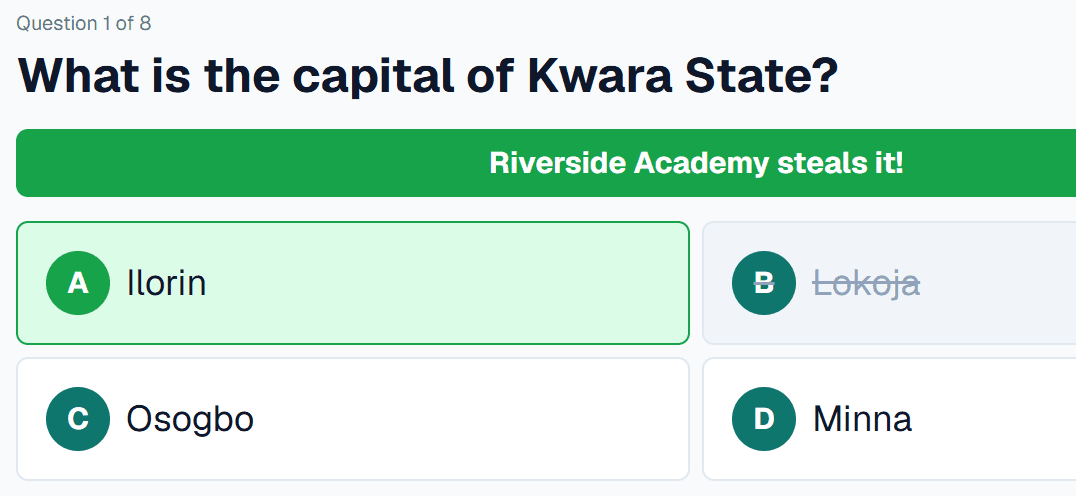
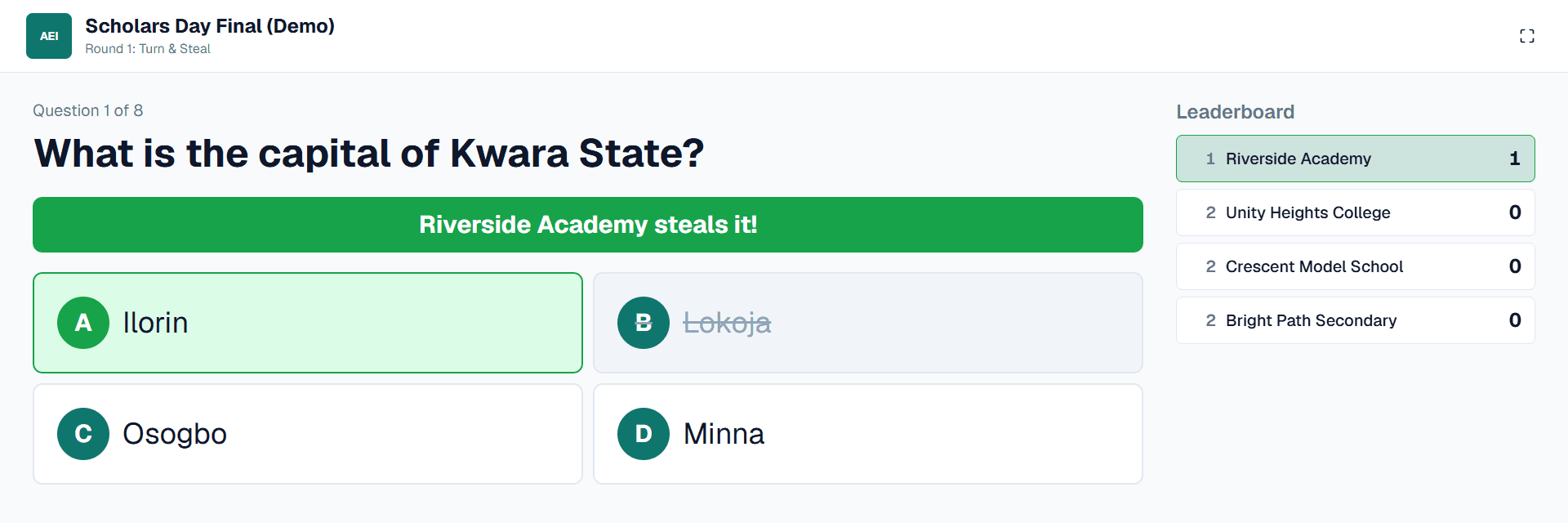
The projector view: a team steals the answer and the leaderboard updates

Built for whoever runs the big day

Secondary school students in uniform taking a computer-based test on laptops
Schools

Entrance exams, termly CBT tests and inter-school quiz finals.

A young woman receiving a scholarship certificate as guests applaud
Foundations & NGOs

Scholarship screening for thousands, then a final for the best.

Members of a student association looking at a tablet together
Associations

One home for every branch, from national down to local chapters.

A graduate taking an online assessment on a laptop in an office
Companies

Graduate trainee tests and staff quizzes under your company's name.

From question bank to prize-giving

Four steps, all in one place. These are the real screens your team will use.

  1. 1

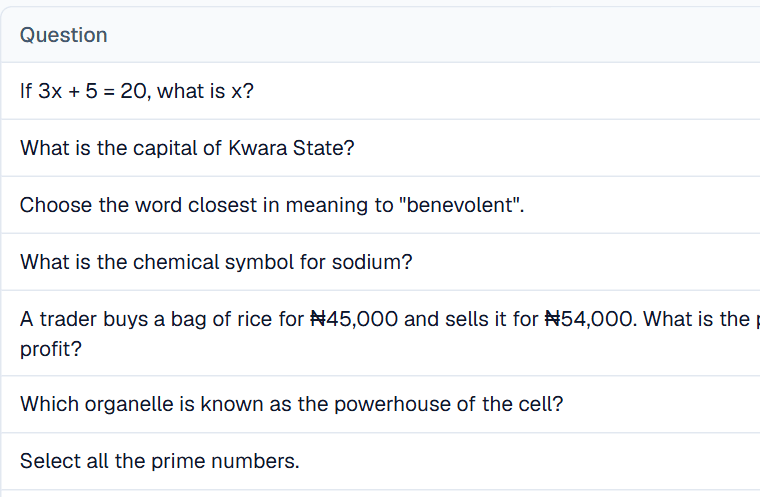
    Build your question bank

    Import questions from Excel or Word, or type them in. Rows that need fixing are flagged before anything is saved.

    Multiple choice, true/false, fill-in-the-blank, matching and essay

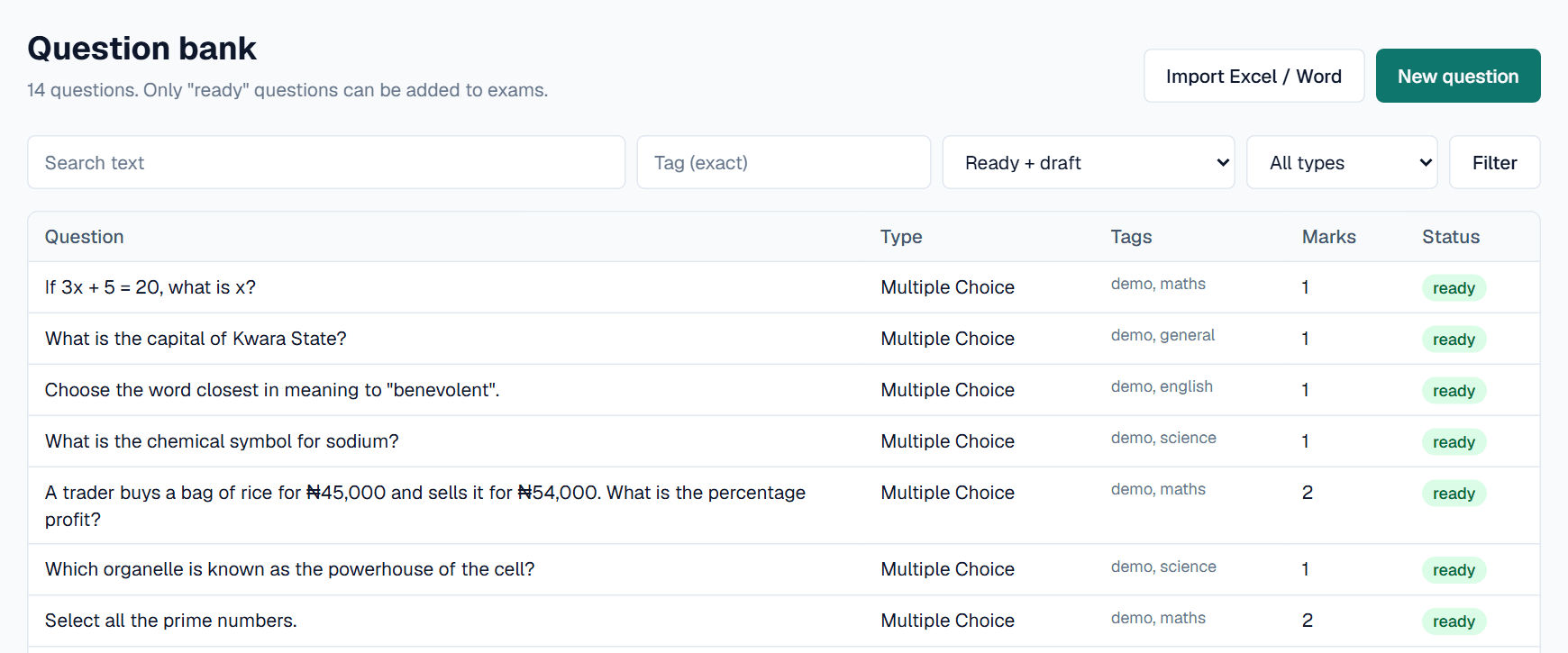
    The question bank with imported questions, their types, tags, marks and status
  2. 2

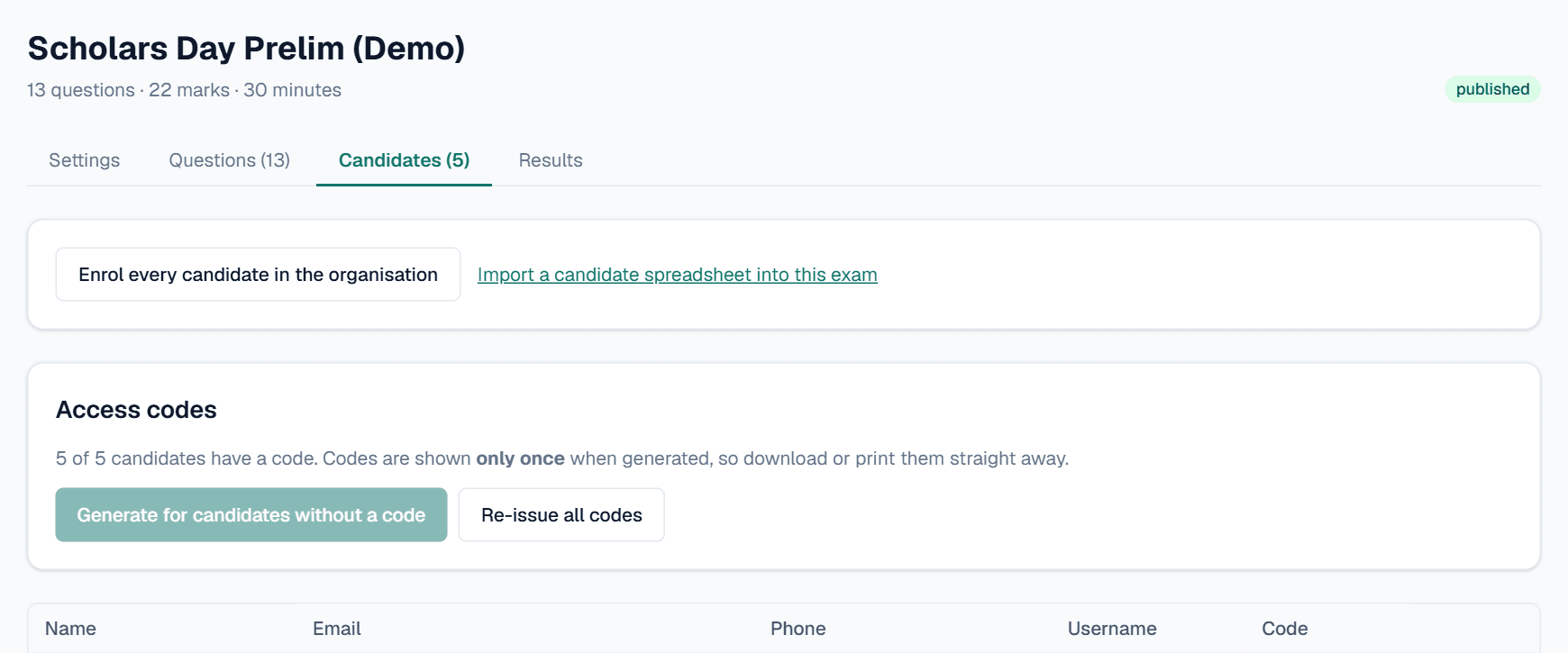
    Enrol candidates and send codes

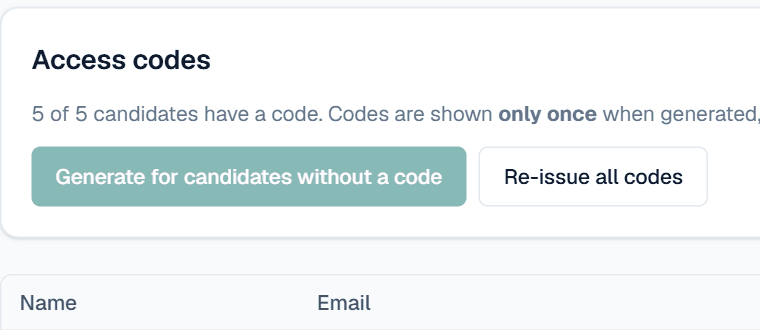
    Import your candidate list, then generate a one-time access code for each person. Print slips or download a spreadsheet.

    No passwords to reset on exam day

    An exam's candidates tab showing access codes issued to every candidate
  3. 3

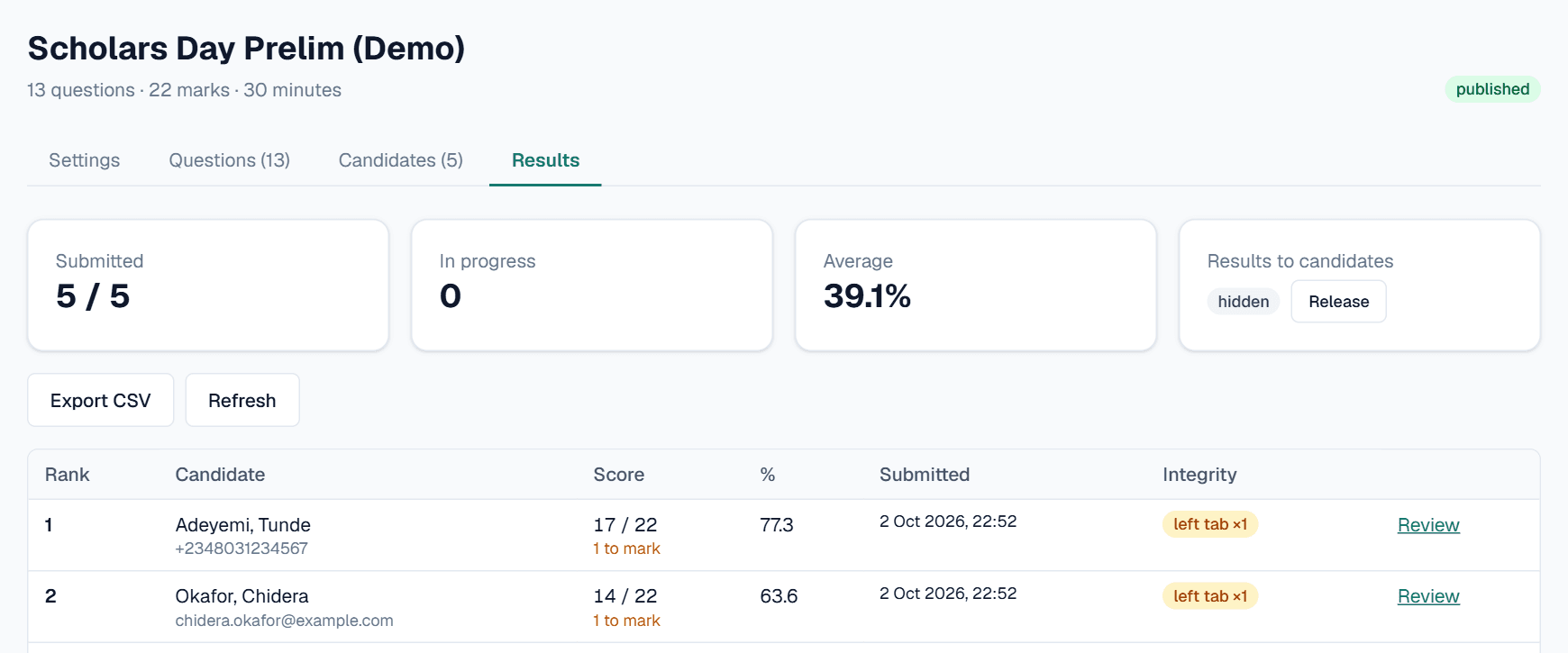
    Run the exam, rank the results

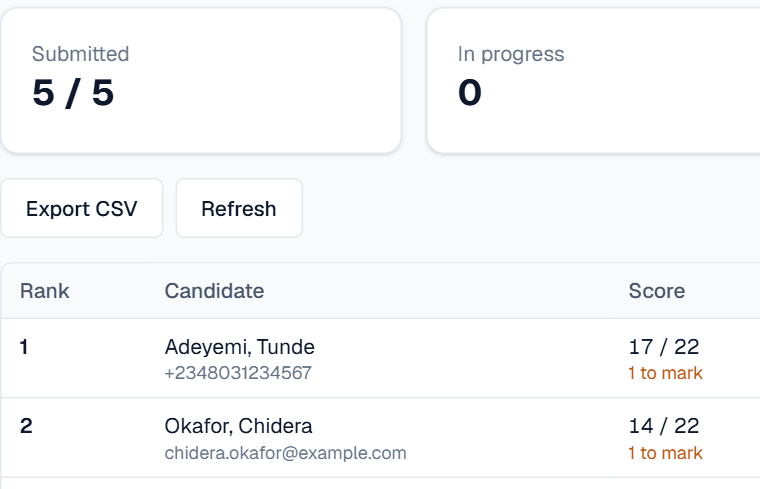
    Watch submissions arrive with a live ranking and integrity flags. Mark essays, export to Excel and release scores when you are ready.

    Scores stay hidden from candidates until you release them

    The results tab ranking candidates by score with integrity flags
  4. 4

    Host the live final

    Bring the top candidates or schools on stage. The projector shows each question, teams answer on tablets and the scores run themselves.

    Turn & Steal and rapid-fire rounds

    The projector during a live final: a team steals the answer and the leaderboard updates

Fair, private and yours

The rules that matter are enforced by the database itself, not just the app, so a bug can never show one organisation's data to another.

  • Answer keys stay on the server

    Candidates only ever receive questions, never the answers.

  • Every organisation walled off

    Rules inside the database keep each organisation's data apart.

  • Your brand, your address

    Candidates see your name, logo and colours at your own web address.

  • Made for Nigerian networks

    Answers retry by themselves and the live final keeps running on a hotspot.

Preparing for UTME? Try UTMEprep.

Our prep workspace for students: CBT-style practice in a real UTME interface, past questions across 24+ subjects, live competitions and progress tracking.

Visit UTMEprep (opens in a new tab)

Planning an exam or a final?

Set up your organisation in two minutes and run a test exam today. Prefer a walkthrough? We'll show you NexusExam with your name on it.